About the game
Pipe Line Puzzle: Tea
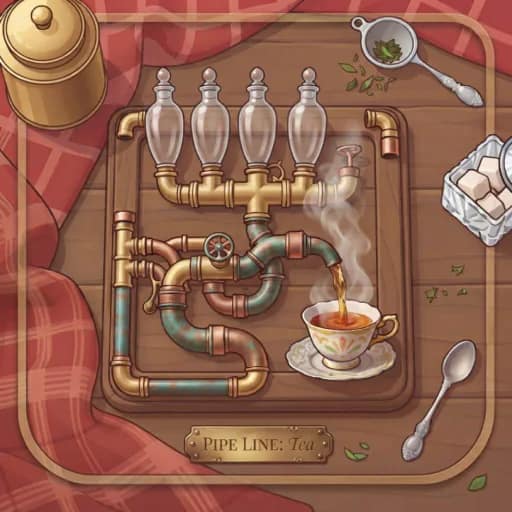
Pipe Line Puzzle: Tea is a warm, slow-paced Puzzle game built around rotating sections of pipe. Each board is arranged like a wooden tray, with a teapot, glass-windowed pipes, and cups waiting to be filled.
Connect the tea route
The aim is to create one complete pipe network that carries tea from the teapot to every cup on the table. Click or tap a pipe to turn it 90 degrees, then keep adjusting the layout until the route is connected.
A finished solution must reach every cup without leaving open pipe ends. Open ends spill tea, so the arrangement needs to be fully sealed while still supplying all of the cups.
Some pieces are held in place with brass pins and cannot be rotated. Treat these fixed pipes as clues when planning the rest of the network. This makes the game a fitting choice for Logic and Brain puzzle fans.
Time, moves, and help
Complete the board before the candle burns out. Fewer moves lead to a higher score, with up to three stars available for an efficient solution.
If a layout stops making sense, undo a move, restart the board, or use the bulb-shaped Hint button. You can also switch between 2D and 3D views with the keyboard.
What to expect
- Rotate pipes in 90-degree turns.
- Send tea from one teapot to every cup.
- Avoid open ends that spill tea.
- Work around fixed, brass-pinned pipe pieces.
- Finish before the candle burns out and use fewer moves for up to three stars.
- Undo, restart, request a hint, pause, or change the view with available controls.